Best Background Colors for Product Photos
Data-driven guide to choosing background colors for product photography. Covers platform requirements, background removal workflow, color-by-product-type reference, and shadow techniques.
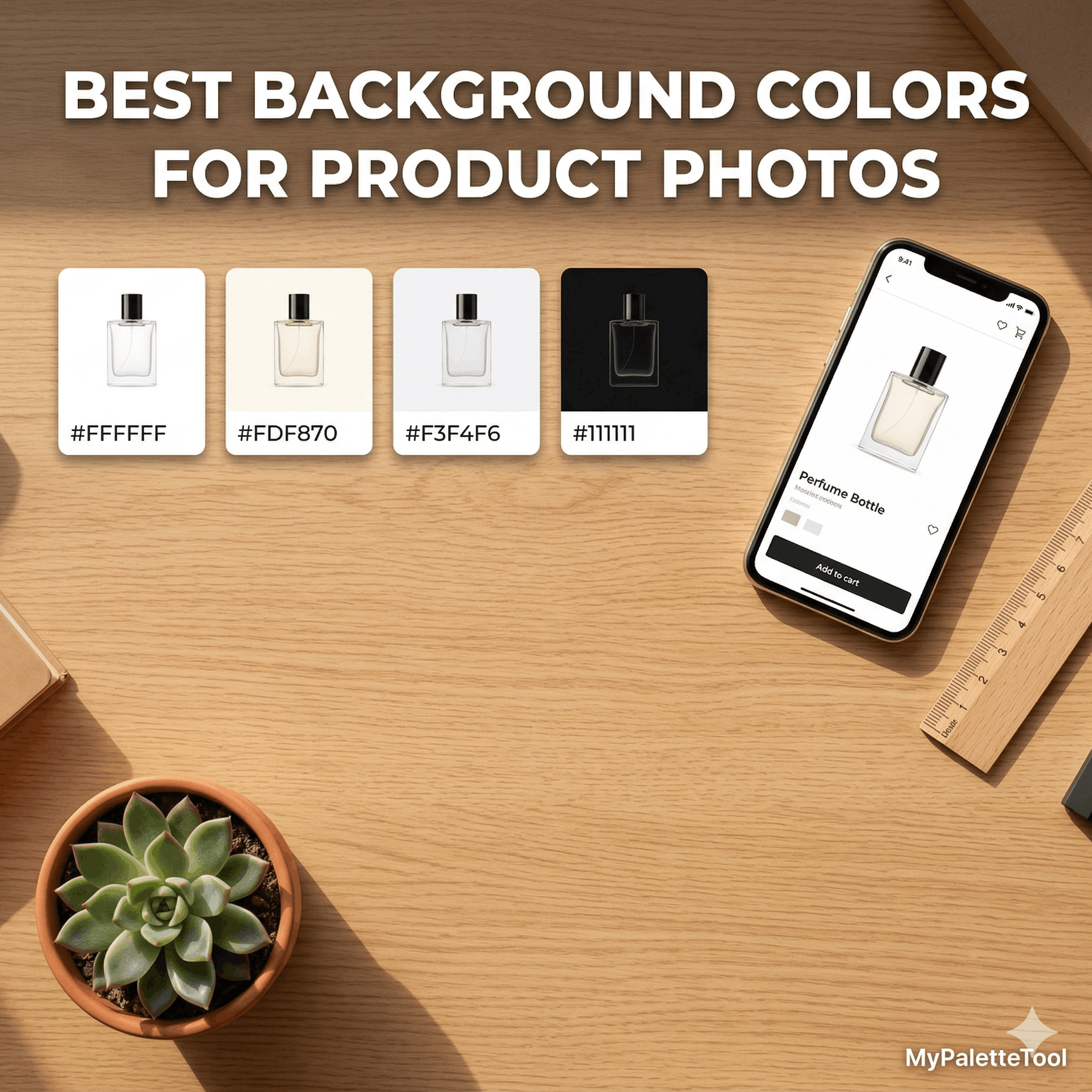
Best Background Colors for Product Photos
The background color in a product photo is not just a backdrop — it's a design decision that affects how the product looks, how the page feels, and whether the customer clicks "buy." This guide breaks down the best background colors by product type, along with how to remove and replace backgrounds efficiently.
Why Background Color Matters in Product Photography
A product's perceived quality, color accuracy, and emotional appeal all shift depending on what's behind it. The same product photographed on a white background reads as clinical and precise. On a warm cream, it feels artisan. On black, it becomes premium.
Background color choices affect:
- Color accuracy — backgrounds influence how we perceive adjacent colors
- Brand consistency — backgrounds should align with your palette
- Platform requirements — Amazon, for example, requires pure white backgrounds
- Conversion rates — contrast between product and background drives attention
Removing Existing Backgrounds
Before choosing a new background color, you often need to remove the original one. The Background Remover at ToolCenterLab handles this in one click — no Photoshop required.
When to remove the background:
- Studio shots with inconsistent lighting
- Product photos taken on the wrong color
- Items photographed at home or in non-studio settings
- Batch editing for e-commerce listings
Once removed, you can composite the product onto any background color.
The Standard Backgrounds: When to Use Each
Pure White — #FFFFFF
Best for: E-commerce listings, marketplaces, clinical/medical products, tech products
White is the default for a reason: it's neutral, non-distracting, and required by many platforms (Amazon, Google Shopping). It makes colors appear accurate and products feel clean.
Works well with: Electronics, kitchen tools, books, cosmetics, supplements
Be careful with: White or very light products — they disappear into the background. Add a very subtle shadow or use off-white instead.
Tip: Use #FAFAFA or #F5F5F5 instead of pure #FFFFFF — it avoids harsh edge artifacts and is easier on the eyes.
Off-White / Cream — #FDF8F0 to #FAF7F0
Best for: Artisan products, food, skincare, homeware, lifestyle brands
Cream backgrounds add warmth without sacrificing cleanliness. They make organic, handmade, and natural products feel authentic.
Works well with: Candles, soaps, coffee, tea, pottery, wooden objects, baked goods
Avoid with: Very yellow products — they may blend uncomfortably.
Light Gray — #F3F4F6 to #E5E7EB
Best for: Technology, fashion accessories, jewelry, tools
Gray is the most versatile neutral — cooler than white, more sophisticated than cream. It makes products with complex shapes read better because it defines edges without the harshness of pure white.
Works well with: Watches, glasses, cables, clothing, shoes, hardware
Popular shade: #F0F0F0 — used extensively by Apple and fashion e-commerce.
Black — #0A0A0A to #1A1A1A
Best for: Luxury goods, jewelry, watches, spirits, high-end fashion, electronics
Black elevates. Products on black feel exclusive, premium, and dramatic. Reflective products (jewelry, watches, glass bottles) are especially striking against black.
Works well with: Gold, silver, white, or bright-colored products that need to pop
Challenging with: Dark products — they may need special lighting or a very slightly lighter "dark" background like #1A1A1A
Avoid: Pure #000000 — it's often too harsh. Use #0A0A0A or #111111 for a richer look.
Pastel / Tinted Backgrounds
Best for: Beauty, skincare, lifestyle, children's products, social media content
Pastel backgrounds add brand personality while remaining light enough not to overpower the product.
Popular palettes by industry:
| Industry | Hex | Feel |
|---|---|---|
| Skincare / beauty | #FDE8E4 Blush |
Soft, feminine |
| Wellness / CBD | #D1FAE5 Mint |
Natural, calm |
| Baby / kids | #DBEAFE Sky |
Gentle, safe |
| Food / bakery | #FEF3C7 Butter |
Warm, appetizing |
| Tech startup | #EDE9FE Lavender |
Modern, creative |
| Fitness | #ECFDF5 + #D1FAE5 |
Fresh, energetic |
Brand Color Backgrounds
Best for: Social media, branded campaigns, lifestyle shoots, gift packaging
Using your brand primary color as the background reinforces identity and creates a consistent visual system. This works especially well for social media content where the image is seen in a feed context.
Rules for brand color backgrounds:
- The product must have sufficient contrast against the brand color
- Use a slightly desaturated version of your brand color to avoid intensity
- Works best for light-colored products on dark brand colors, or vice versa
Use MyPaletteTool to generate your brand palette and check contrast with the Contrast Checker.
Matching Background to Product Color
One of the most critical (and overlooked) rules is ensuring the background doesn't compete with or absorb the product's own colors.
Contrast-Based Selection
| Product color | Recommended background |
|---|---|
| White / Light | Medium gray #D1D5DB or black #111111 |
| Black / Dark | White #FFFFFF or light gray #F3F4F6 |
| Warm tones (red, orange, yellow) | Cool backgrounds (light blue, gray) |
| Cool tones (blue, green, purple) | Warm backgrounds (cream, warm gray) |
| Bright / saturated | Neutral or desaturated background |
| Metallic (gold, silver) | Black or deep navy |
The Color Wheel Rule
Using a background color that is complementary or analogous to the product color creates natural visual harmony.
Example:
- Orange product → blue or teal background (complementary)
- Green product → warm cream background (complementary warmth)
- Blue product → light blue-gray background (analogous)
Generate complementary pairs instantly with MyPaletteTool in Complementary mode.
Platform-Specific Background Requirements
Amazon
- Required: Pure white background (
#FFFFFF) for main listing image - Secondary images: Any background allowed
- Minimum white space: Product must fill 85% of frame
Etsy
- No strict background requirements
- Lifestyle and styled backgrounds perform well
- Consistent background across your shop improves brand perception
Shopify / Own Store
- Full creative freedom
- Recommended: Use your brand palette's lightest color as background
- Consistency across product catalog matters more than any single choice
Instagram / Social Commerce
- Lifestyle backgrounds and brand colors outperform plain white
- 1:1 square crop is standard for grid posts
- Consider how the image looks as a thumbnail at small sizes
Background Color + Shadow Combinations
A shadow grounds the product on the background and makes it look real rather than cut-out. The shadow color should be derived from the background, not pure black.
Shadow generation rule:
- Take your background color
- Increase saturation slightly
- Decrease lightness significantly
- Use at low opacity (10–25%)
Example:
- Background:
#FDF8F0(cream) - Shadow:
rgba(101, 72, 33, 0.15)— warm dark, low opacity
For white backgrounds, a neutral shadow works:
rgba(0, 0, 0, 0.08)— subtle depth- Choose 2–3 background colors that work with all your products
- Assign by product category — all electronics get gray, all organic products get cream
- Generate the palette at MyPaletteTool using Analogous or Monochromatic harmony
- Export as CSS variables for consistency in your store's design
Building a Consistent Product Photo Palette
If you sell multiple products, background consistency across your catalog is more important than any single color choice. A unified palette creates a professional, cohesive store.
Recommended approach:
Example 3-background system:
:root {
  --bg-product-primary:   #FFFFFF;   /* clean listings */
  --bg-product-secondary: #FDF8F0;   /* warm lifestyle */
  --bg-product-featured:  #111827;   /* hero / premium */
}
Workflow: From Raw Photo to Final Background
Here's a complete workflow using free tools:
Step 1: Remove the original background
Upload your product photo to Background Remover at ToolCenterLab. Download the transparent PNG.
Step 2: Choose your background color
Based on the product type and platform requirements from this guide, pick a background hex code.
Step 3: Verify contrast
Open the Contrast Checker at MyPaletteTool. Enter the most prominent product color and the background color. Ensure they're visually distinguishable (not necessarily WCAG — just clearly different).
Step 4: Apply in your design tool
Use Figma, Canva, or Photoshop to composite the transparent PNG on your chosen background color.
Step 5: Export at the right size
- Amazon main image: 2000 × 2000px minimum
- Shopify: 2048 × 2048px recommended
- Instagram: 1080 × 1080px
Quick Reference: Background by Product Type
| Product | First Choice | Second Choice | Avoid |
|---|---|---|---|
| Electronics | #F3F4F6 Light gray |
#FFFFFF White |
Dark colors |
| Jewelry | #111111 Black |
#FFFFFF White |
Medium gray |
| Skincare | #FDE8E4 Blush |
#FFFFFF White |
Busy patterns |
| Food | #FEF3C7 Butter |
#FFFFFF White |
Cold blues |
| Clothing | #F9FAFB Off-white |
#1F2937 Dark slate |
Clashing colors |
| Candles | #FDF8F0 Cream |
#111111 Black |
Bright saturated |
| Supplements | #FFFFFF White |
#F0FDF4 Mint |
Dark backgrounds |
| Spirits | #111111 Black |
#1E3A5F Deep navy |
White (looks cheap) |
| Toys | #DBEAFE Sky blue |
#FEF3C7 Yellow |
Black |
| Homeware | #F3F4F6 Light gray |
#FDF8F0 Cream |
Bright saturated |
Conclusion
The right background color for a product photo is the one that makes the product the undeniable hero — visible, accurate, and on-brand. Start with the platform requirement, then refine with your brand palette, and always verify the product reads clearly against the background.
Workflow recap:
- Remove background → ToolCenterLab Background Remover
- Build your color palette → MyPaletteTool
- Check contrast → Contrast Checker
- Apply and export
Related Articles
Remove product photo backgrounds instantly at ToolCenterLab, then build your perfect background palette at MyPaletteTool — both free.